- 查看是否存在缺陷
进入亚马逊后台,如果发现有存在 xx OutStanding shipment problems to resolve。则表示存在需要处理的入库缺陷。如下图红线所示。
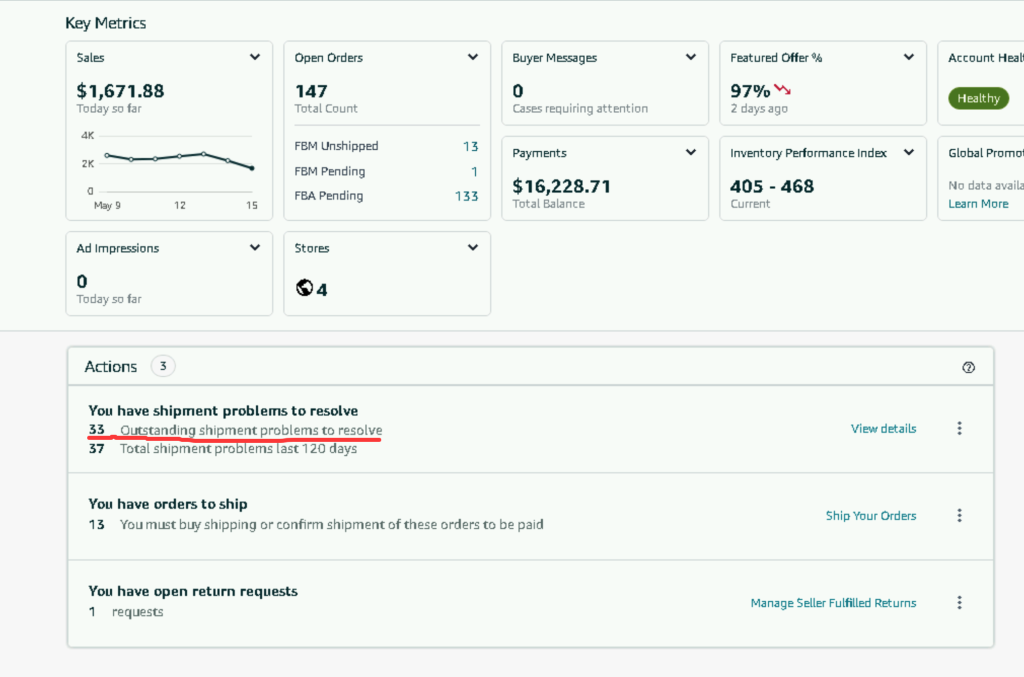
点击 View details 进入具体问题列表
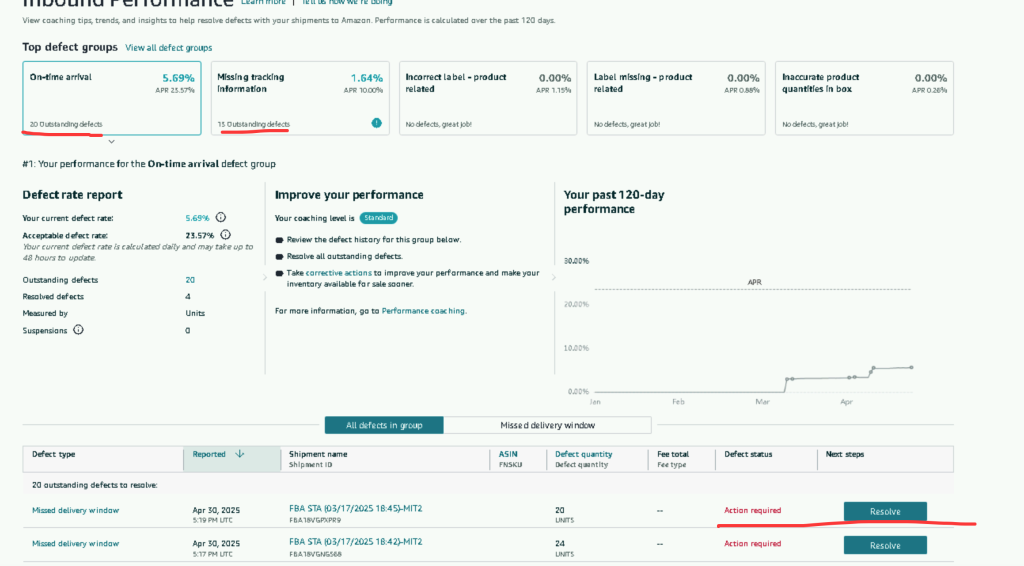
针对上图中的各类问题,分别点击对应问题的右边的 Resolve 按钮。
问题类型1: On-time arrival.
问题类型2:Missing Tracking Information:
点击 Acknowledge, 之后勾选 “I have read and understood the FBA inbound shipment requirements”, 然后点击”Submit” 即可


问题3:FBA产品标签错误:Incorrect label – product related,主要是 FBA FNSKU 标签无法扫描 (Barcode cannot be scanned)
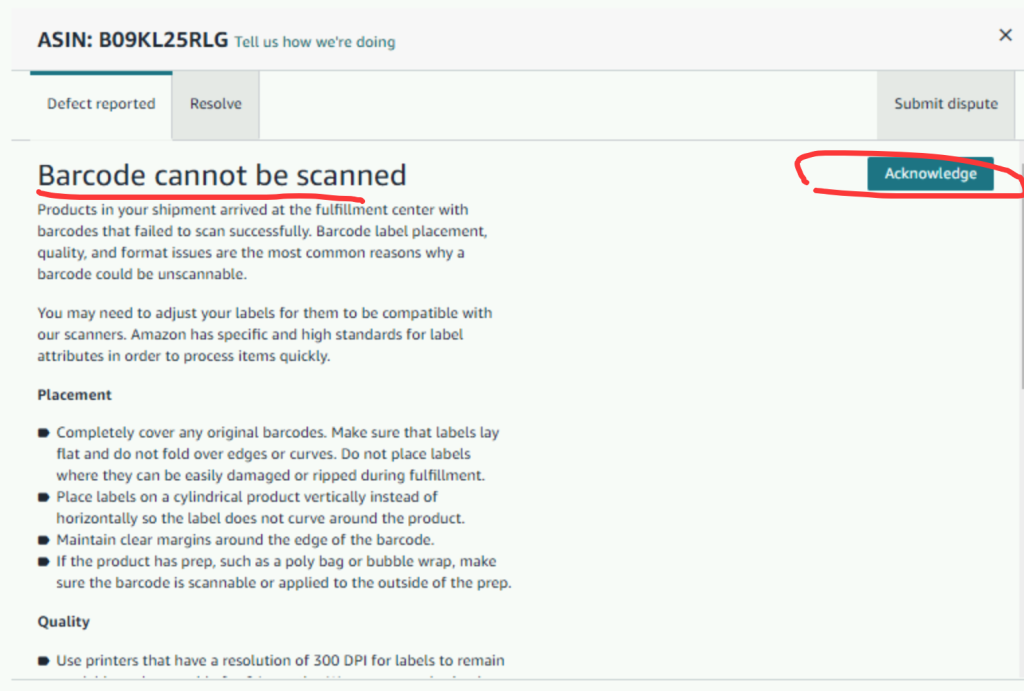
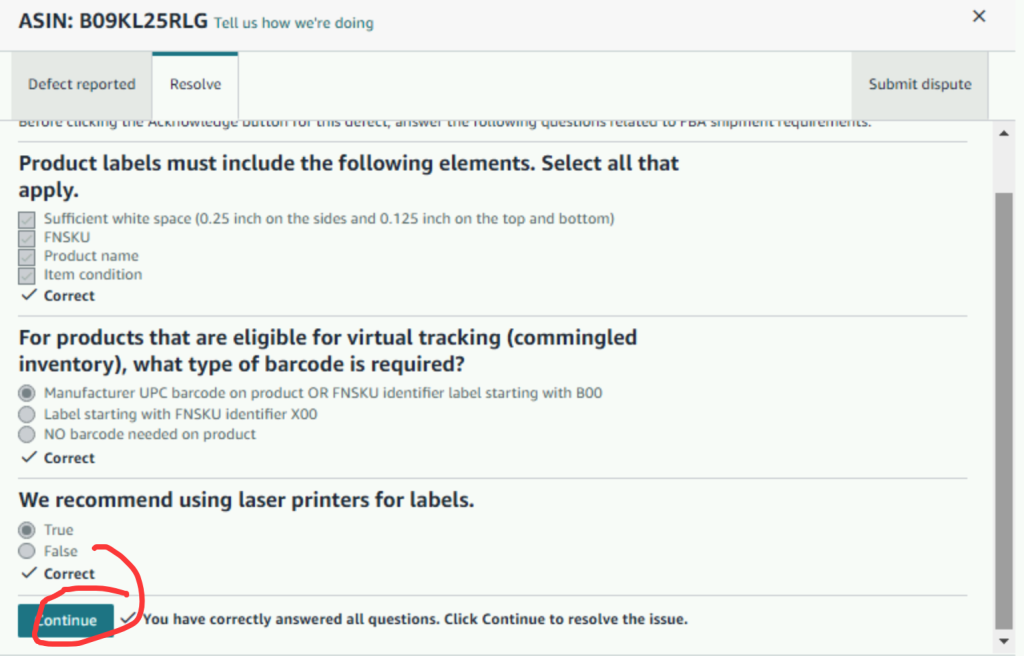
回答上述问题后,点击Continue
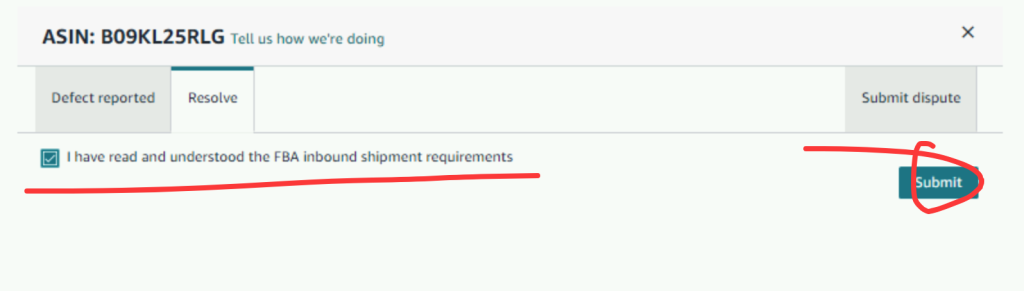
勾选后,点击”Submit” 即可。
问题4:入库数量不匹配:Inaccurate product quantities in shipment
直接点击 “Acknowledge”按钮即可